The starter code for each subsequent lab will be added directly into the same course repository. To update your individual repo, navigate to your workspace on the GitHub website and you should see a “Sync Fork” button. Click this and then “Update Branch.” Now if you run ``git pull’’ in your terminal, you will have all the materials you need.
OR
If you went through the additional git set-up steps for
lab 1, you should be able to run
git pull starter main --rebase
Then all the new code for lab4 should be there!
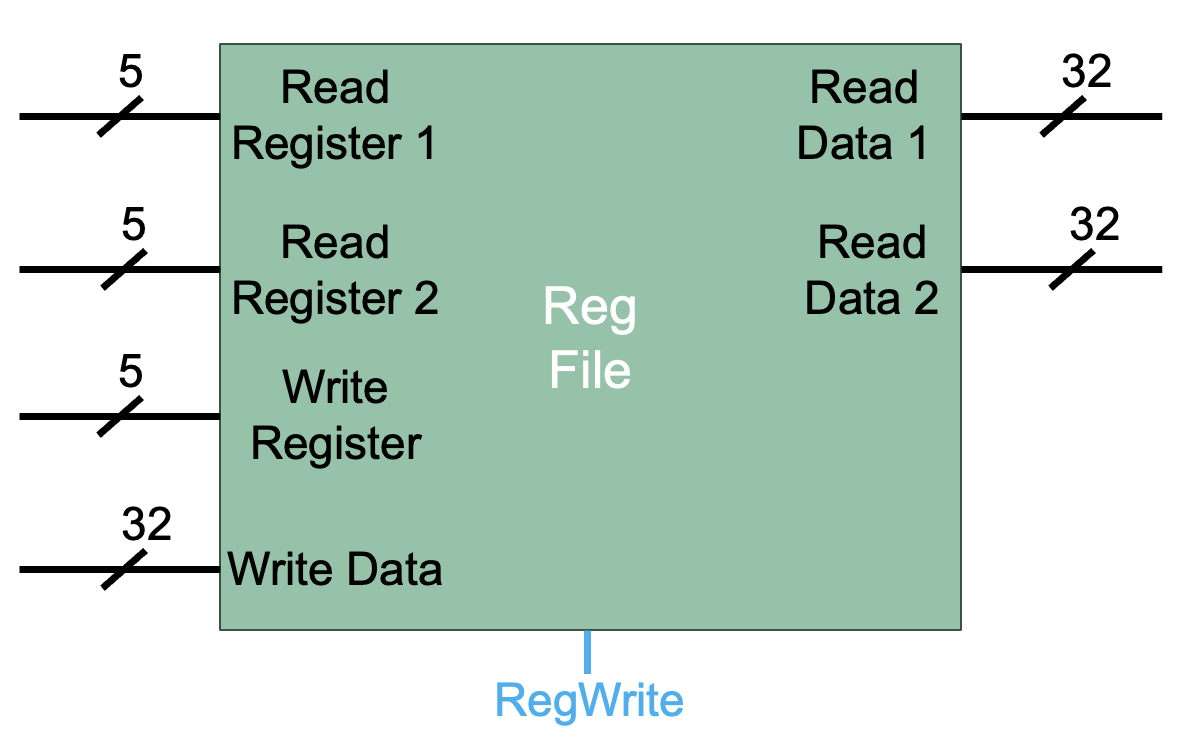
In this lab, you will be designing the register file that we have been studying in class!
The register file will contain 32 registers, each holding a 32-bit value.
The register file has five inputs: 1. Read Register 1 2. Read Register 2 3. Write Register 4. Write Data 5. RegWrite
And two outputs: 1. Read Data 1 2. Read Data 2
See the full specification of the register file in the lecture slides. Remember, register 0 always holds the value 0!
register-file.dig already contains the inputs and
outputs. You may move these inputs and outputs, but do not rename
them!
You can find the register component under Components ->
Memory -> Register. Remember to set the
Data Bits field to 32.
This video gives an overview of simulating a register.
You will need to use a circuit called a decoder in your implementation! You can find the decoder in Components -> Plexers -> Decoder
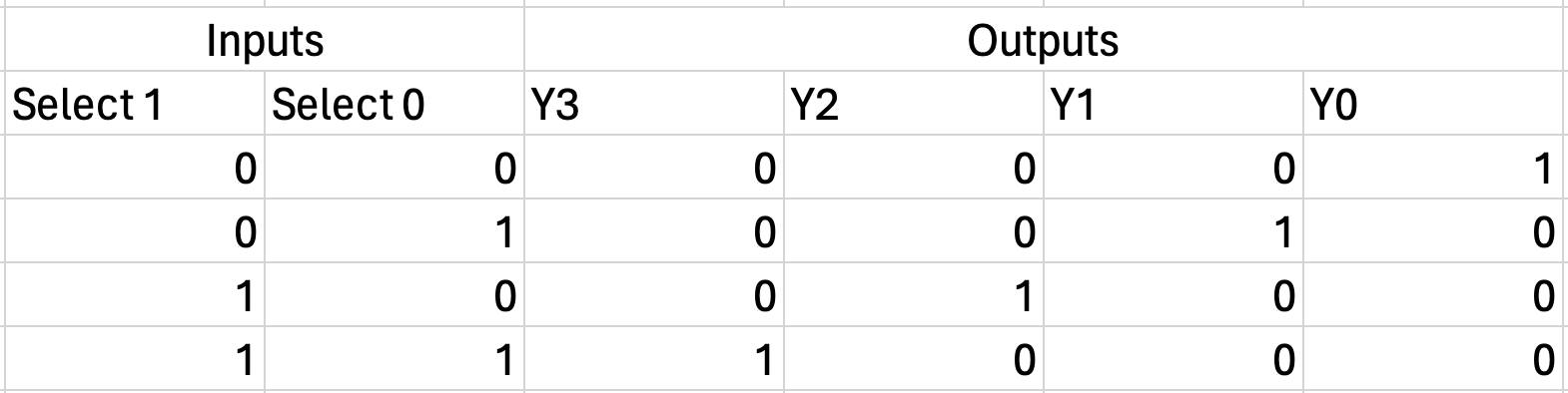
A decoder is a circuit that takes in an unsigned value and outputs the ‘one-hot’ representation of that value. Below you will find the truth table for a 2:4 decoder. A 2:4 (pronounced two to four) decoder has two input bits and four output bits.
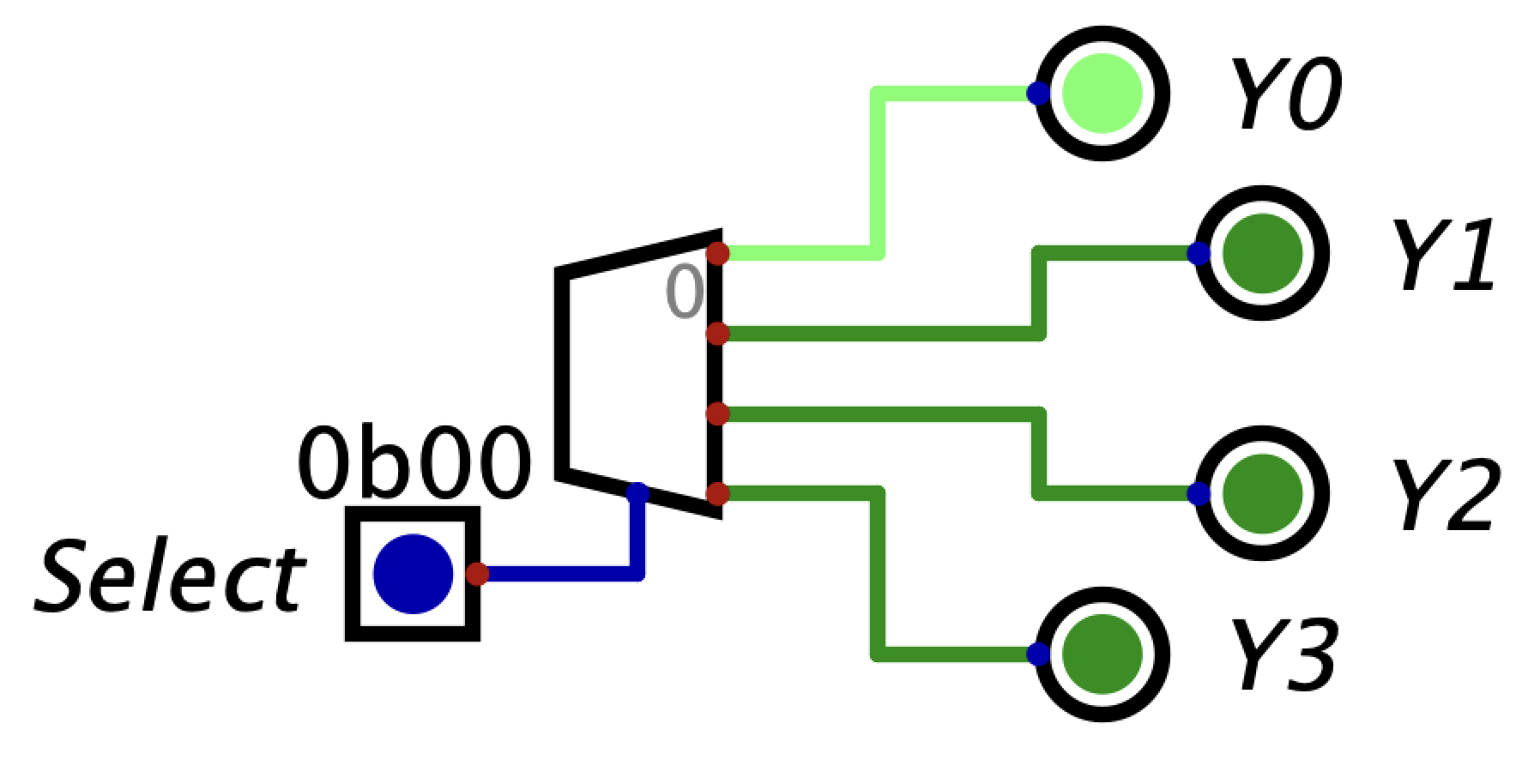
Below is a 2:4 decoder in Digital. Notice that the input is
0b00 which corresponds to the one-hot value
0b0001 We can see this one-hot value represented in the
outputs (Y0 is high while the other outputs are low).
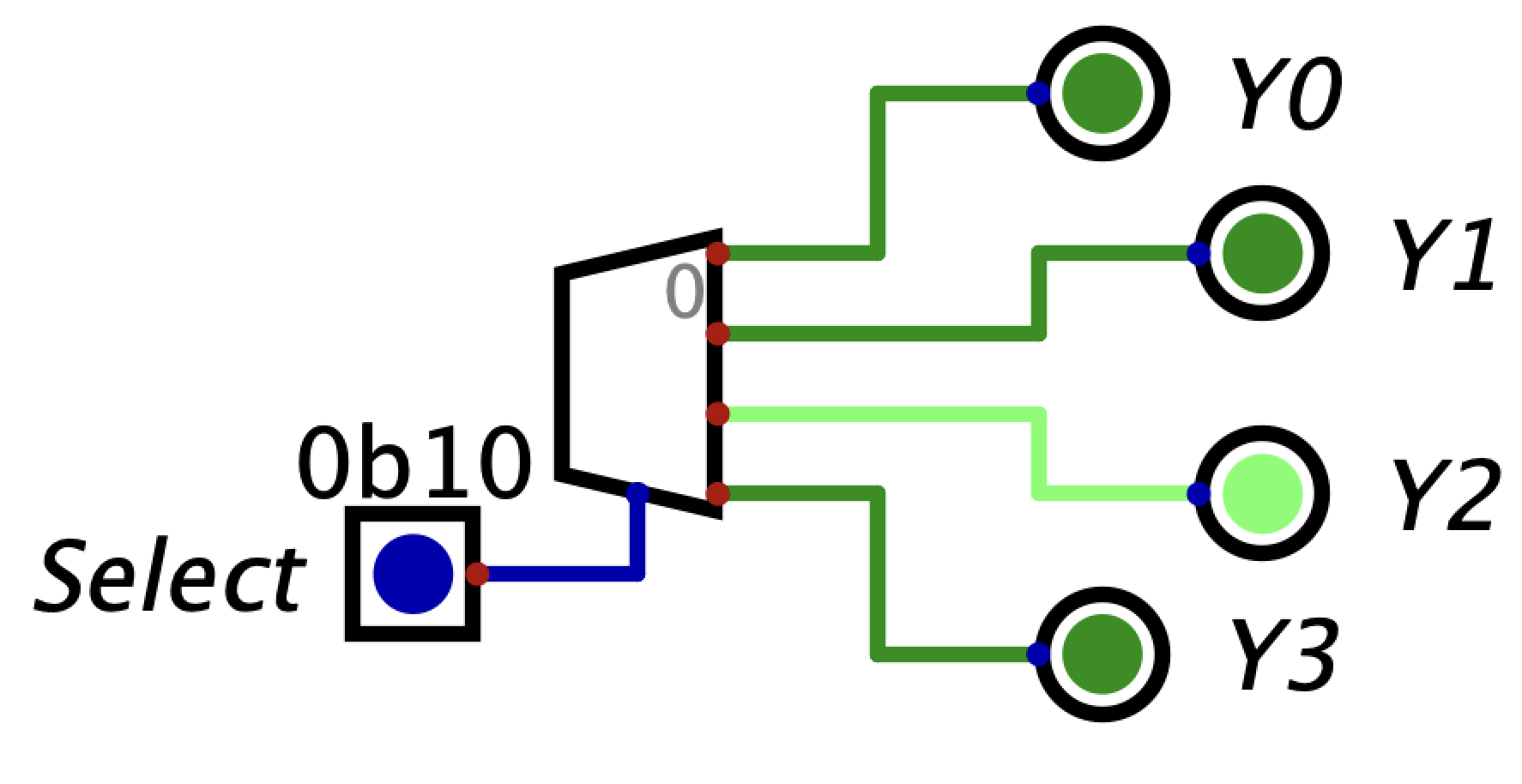
In the next example, notice that the input is 0b10 which
corresponds to the one-hot value 0b0100. We can see this
one-hot value represented in the output (Y2 is high while
the other outputs are low).
I encourage you to play around with the decoder component in Digital before starting the lab.
In your register file implementation, you will need to use a larger decoder.
Before beginning your design in Digital, ask yourself these questions: 1. What component will you use to choose the register you are writing to? 2. What component will you use to choose the register you are reading from?
Local register file tests are provided for you. They work just like the tests in the previous labs.
This video provides an overview of the tests.
Remember that register 0 should always hold the value 0.
Assignments are submitted through Gradescope.