Now that we’re familiar with the Digital software simulator and combinational logic circuit design techniques (e.g., truth tables, sum of product (SOP) expressions, and SOP simplification using Karnaugh maps), it’s time to take things to the next level! In this lab, you’re going to be wiring up a 7-segment LED Display!
If you didn’t finish the Digital in-class activity we did on 9/30, I highly recommend completing that first. There is an autograder up on Gradescope, too, to make sure you are on the right track.
Your lovely LAs have also put together this amazing Intro to Digital tutorial, available here.
The code for each subsequent lab will be released as an assignment in classroom50. If you still need to be added to the organization, please email Kaki ASAP. Otherwise, you can accept the assignment here. Once you accept, clone the repo to get started. You can open the starter code files directly in your Digital circuit simulator.
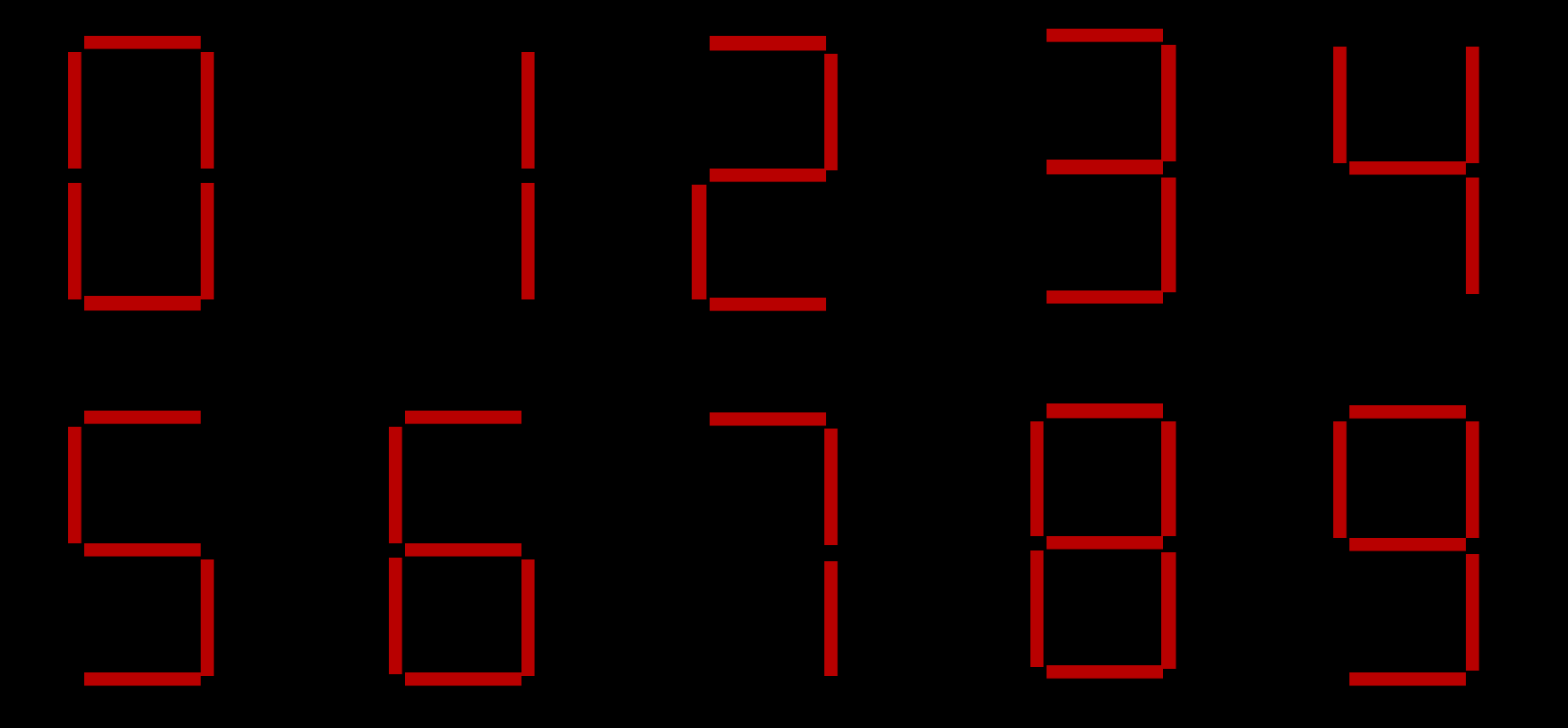
Seven-segment displays are widely used in digital clocks, electronic meters, basic calculators, and other electronic devices that display numerical information. They get their name because there are seven different lights that turn on or off depending on what number or letter is being displayed. The image below shows how a 7-segment display can be used to represent the numbers 0-9.
The display we are working with in this lab can display the digits
0-9 and the letters A-F. To control the value
being shown, the display takes as an input a 4-bit binary number. The
hexadecimal value of this 4-bit binary input is the character that will
be displayed. For example, if the input is 0b1010, the
letter A will be displayed. If the input is
0b0101, the number 5 will be displayed.
The 4 bits of the input are denoted as A, B, C, and D. For example,
if the input is 0b1010, then A = 1, B = 0, C = 1, D =
0.
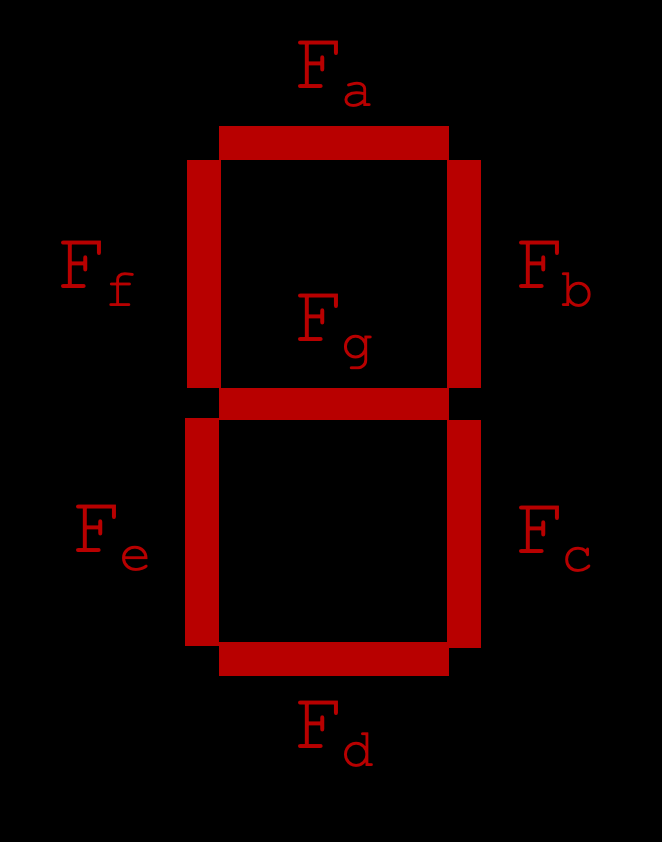
The name of each segment is shown below (Fa,
Fb, Fc, Fd, Fe,
Ff, Fg). You will create separate circuits to
control each of the segments. If a segment should be on, the output of
the driving circuit should be 1. If a segment should be off, the output
of the driving circuit should be 0. For example, if the input to the
display is 0b0000, we want to display the character
0, so Fa, Fb, Fc,
Fd, Fe, and Ff would all be 1 and
Fg would be 0.
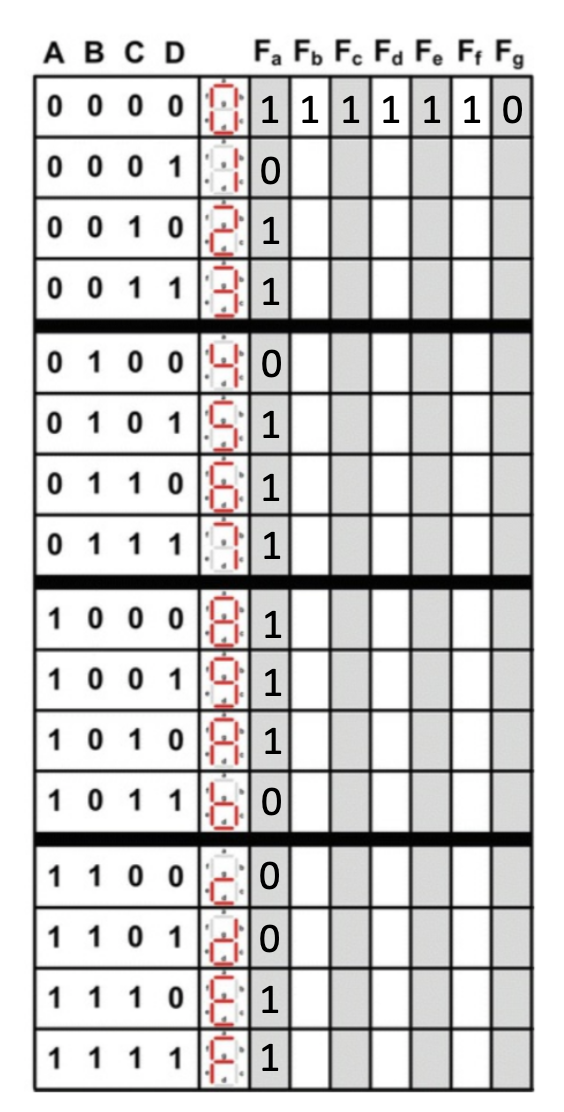
To construct the circuit that controls the 7-segment display, you will need to fill out the provided truth table. The first row and first column of the outputs in the truth table have been filled out for you.
Using the given truth-table.csv file in the repo, fill
in the rest of the truth table. Determine for each number or letter
which of the 7 LED’s will be on (1) or off (0). When you finish the
truth table, commit your changes and submit to Gradescope to see if it
is correct. If you have an incorrect truth table, your circuits in the
next part will not be correct!
Now that we’ve constructed the truth table, it’s time to get ready to build the circuit! Before we start diagramming on Digital, we need to figure out how we’re going to wire up the 7-segment display.
Using the completed truth table, create simplified Boolean expressions for each of the output segments Fa - Fg. We recommend using K-maps. We will cover this material on Monday 10/12. A supplementary reading can be found here. When you are finished, you should have 7 Boolean equations (one for each segment in the display).
You will implement your 7 circuits in Lab02.dig. In this
file, you are provided with 4 input pins labeled A, B, C, and D. You are
also provided with 7 output pins labeled Fa, Fb,
Fc, Fd, Fe, Ff,
Fg. You may move these pins around, but DO NOT CREATE NEW
PINS.
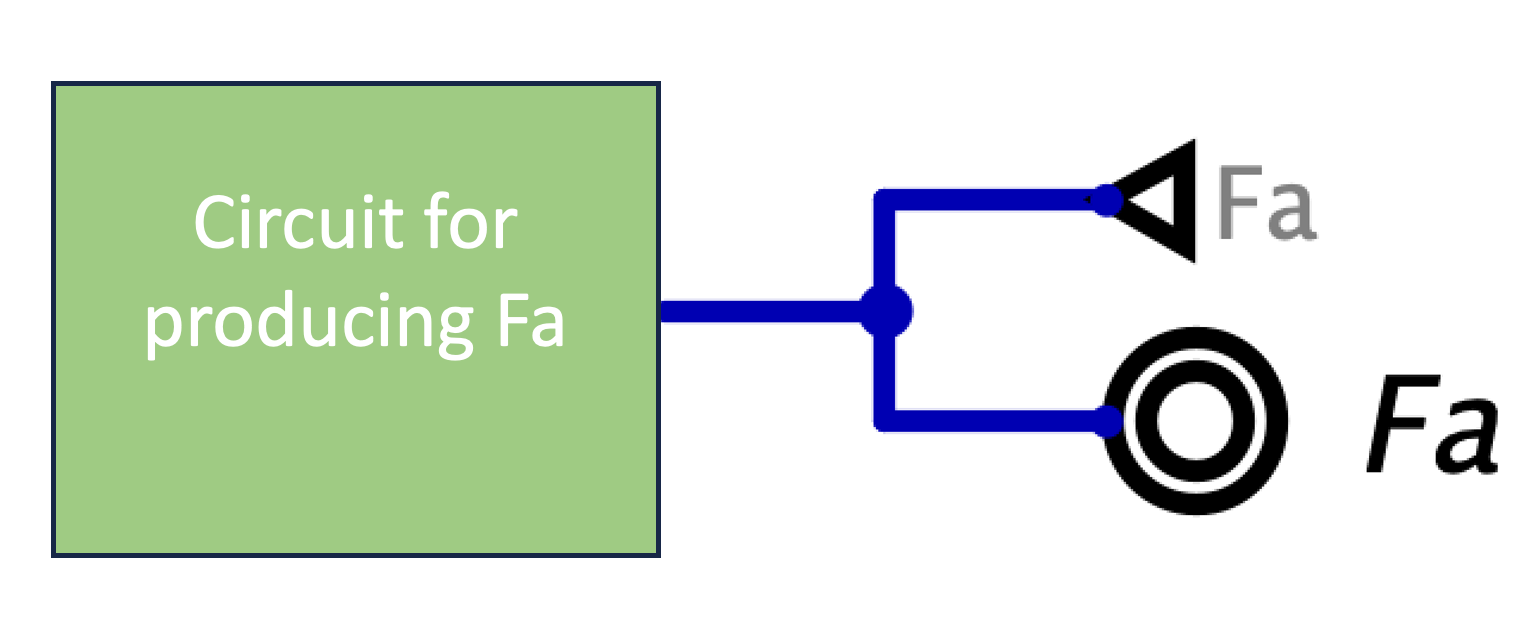
The image below shows where to connect each of your circuits to the display. Note that the bottom right input on the display must connect to ground.
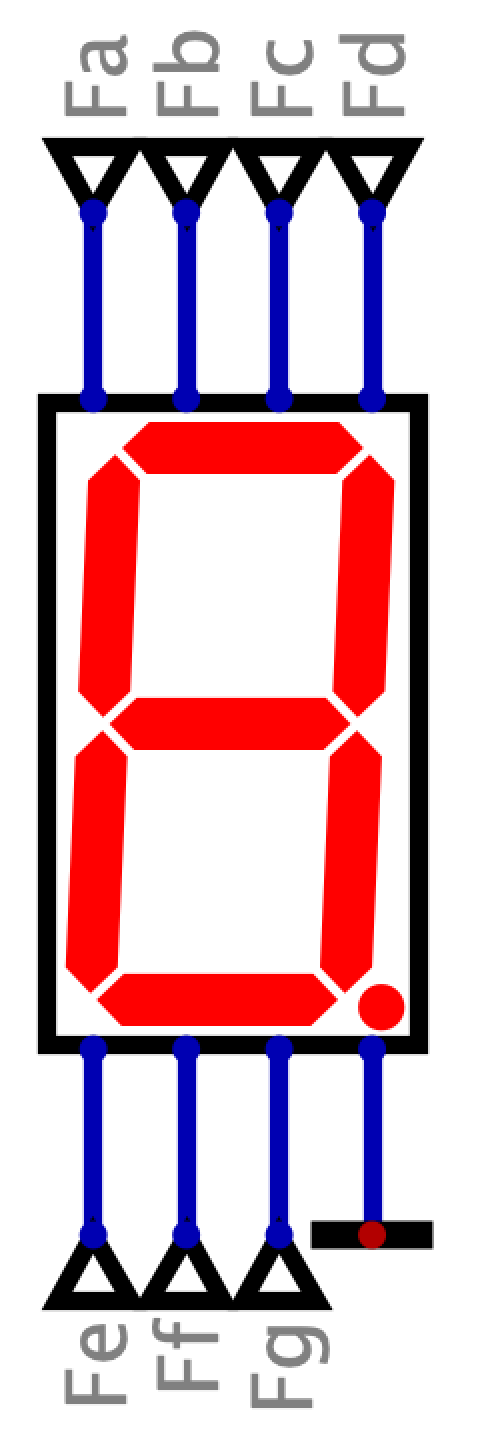
Assignments are submitted through Gradescope.
Lab02.dig).main
branch.